Step 1
Upload your horizontal footage
Add your 16:9 interview, tutorial, or demo recording. Editly handles the format.
Editly AI
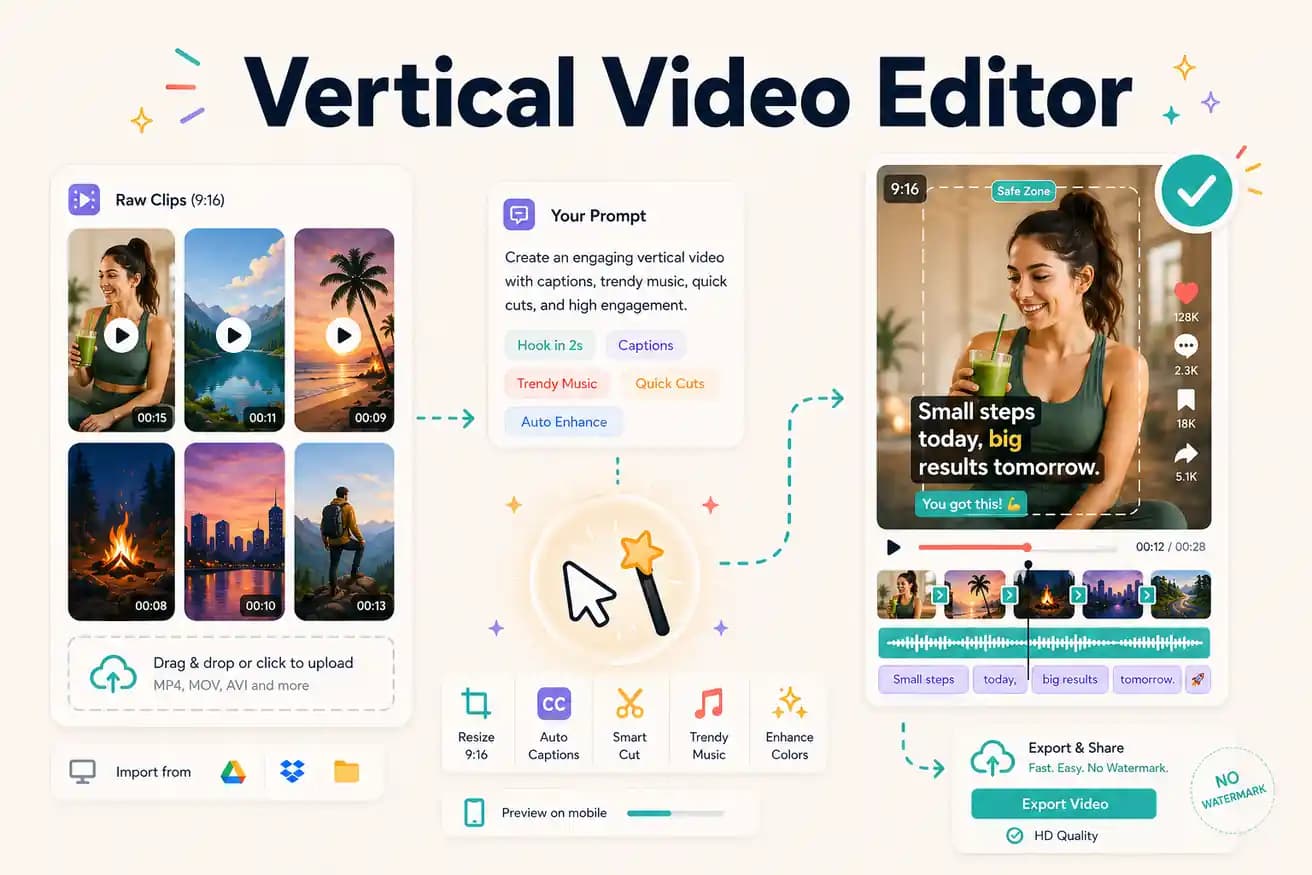
A vertical video editor creates 9:16 format video for Instagram Reels, TikTok, and YouTube Shorts. Editly is an AI vertical video editor that converts horizontal footage to vertical format as part of a prompt-based edit.
Comparing manual vertical video editing against AI-powered vertical reframing with Editly.
| Decision | Other Apps | Editly |
|---|---|---|
| Reframing from horizontal | Manual tools: crop/canvas adjustment per clip — you position the vertical frame for each segment | Editly: '9:16 for Reels/TikTok' in the prompt — AI reframing applied automatically |
| Batch vertical clips | Manual tools: separate project for each vertical clip — reframe, trim, caption each one | Editly: each vertical clip is a prompt on the same upload — efficient at scale |
| Captions for vertical | Manual tools: caption each vertical clip separately — additional workflow per clip | Editly: captions in the prompt — generated as part of the vertical edit |
| Segment selection | Manual tools: manually find and select each segment for vertical extraction | Editly: AI identifies and extracts the best segment from your prompt guidance |
Step 1
Add your 16:9 interview, tutorial, or demo recording. Editly handles the format.
Step 2
'Create a 60-second Instagram Reel from this footage. 9:16 format. Start with the strongest statement. Add white bold captions. Remove pauses.' Vertical reframing is part of the instruction.
Step 3
Editly returns a vertically framed, captioned clip. Check that the subject stays in frame and the opening hooks the viewer.
Step 4
Download the 9:16 MP4 and upload to Instagram Reels, TikTok, or YouTube Shorts. The format is already correct.
Upload horizontal footage. Write a prompt specifying 9:16. Receive a vertical captioned clip. Test AI vertical reframing on your actual recordings.
Related editing pages