Step 1
Upload your footage to Editly
No local project setup, no media bin organization. Upload your raw footage directly in the browser.
Editly AI
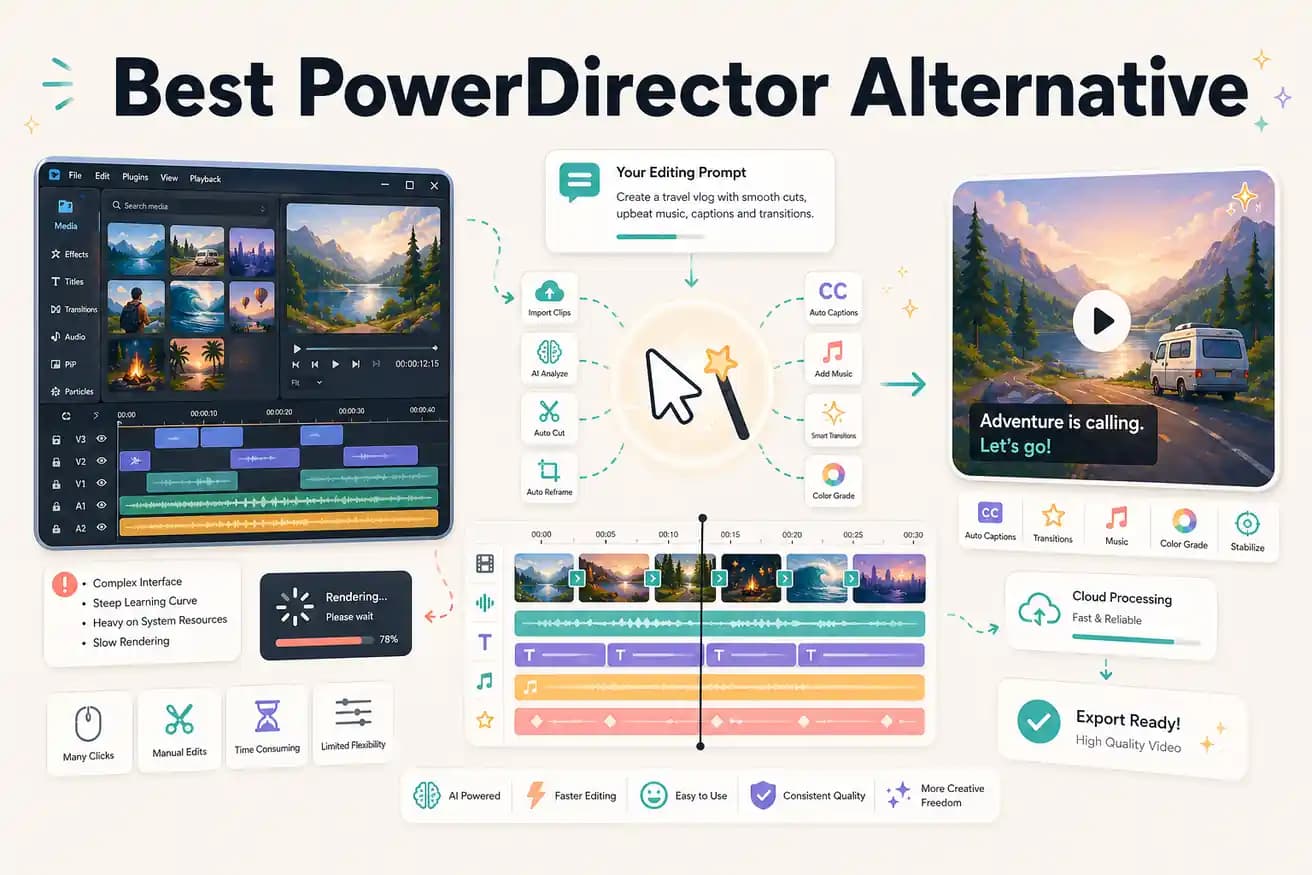
For AI-driven footage editing — silence removal, auto-captions, intelligent clip selection — Editly is faster because those tasks are prompt-driven rather than manual. For complex productions with effects, transitions, and precise control, PowerDirector's Windows NLE is more capable.
PowerDirector is a traditional NLE with AI assistance. Editly is an AI-first editor. Here's how that plays out in real workflows.
| Decision | PowerDirector | Editly |
|---|---|---|
| Platform | PowerDirector: Windows primary, Mac version limited — requires local install and reasonable hardware | Editly: any browser, any OS — Mac, Windows, Linux, Chromebook — no install required |
| Editing model | PowerDirector: traditional timeline with AI-assisted tools — you still make all editorial decisions manually | Editly: prompt-based — AI makes clip selection, timing, and structure decisions from your instruction |
| Silence removal | PowerDirector: no built-in dedicated silence removal — requires manual identification or third-party scripts | Editly: silence removal is a prompt option — automatically applied to the entire recording |
| Hardware requirement | PowerDirector: benefits significantly from dedicated GPU; rendering long projects can be slow on basic hardware | Editly: all processing is cloud-based via Acute — your device is just a browser |
Step 1
No local project setup, no media bin organization. Upload your raw footage directly in the browser.
Step 2
Replace the PowerDirector timeline with a prompt: 'Remove silences, trim to 6 minutes, add captions, export 16:9 for YouTube.' One instruction.
Step 3
Cloud processing via Acute returns your finished video. No local render bar, no GPU wait time.
Step 4
Adjustments are follow-up prompts — no timeline to reopen, no project file to reload.
Test Editly on one project you'd normally open in PowerDirector. Upload, prompt, compare the result and the time it took. 3 free exports.