Step 1
Upload your video footage
Add your raw clips — interview, podcast clip, tutorial, webinar segment. No Kapwing project setup required.
Editly AI
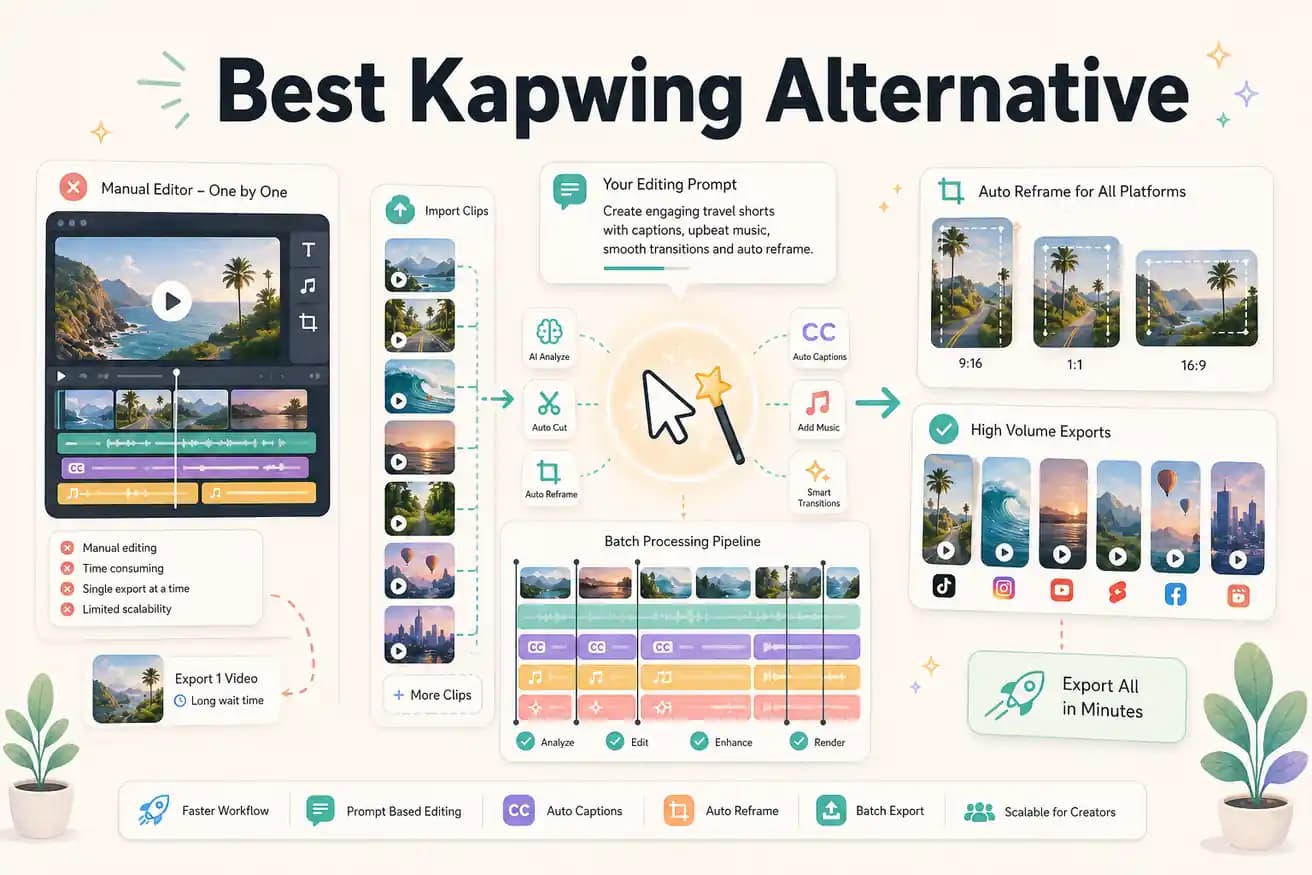
For footage-based Shorts — cutting a longer video into a Short — Editly is faster because vertical reframing and clip extraction are prompt instructions. Kapwing's resizing tool works but still requires manual review per clip.
Both are browser-based with no install required. The difference is how much manual work you do per video.
| Decision | Kapwing | Editly |
|---|---|---|
| Editing method | Kapwing: browser-based timeline editor — trim, resize, add subtitles manually for each video | Editly: write a prompt for each video — AI handles trimming, captioning, and structure automatically |
| Subtitles / captions | Kapwing: auto-subtitle feature works well but requires review and style customization per video | Editly: caption style specified in the prompt — generated and applied without per-video adjustment |
| Watermark on free tier | Kapwing: free exports include a Kapwing watermark; Pro starts at $16/month | Editly: free tier gives 3 watermark-free exports; Pro is $28/month for 100 exports |
| Batch / volume editing | Kapwing: each video is a separate manual project — no batch processing or prompt-based replication | Editly: same prompt can be applied to multiple uploads — consistent output across every video |
Step 1
Add your raw clips — interview, podcast clip, tutorial, webinar segment. No Kapwing project setup required.
Step 2
Example: 'Remove silences, add captions in yellow text, trim to 90 seconds for Instagram Reels, reframe 9:16.' That replaces the Kapwing manual pass.
Step 3
Editly returns a completed cut. No subtitle review panel, no manual trimming, no aspect ratio resizing step.
Step 4
If the output needs a small change, add a follow-up prompt. If the next video needs the same treatment, paste the same prompt and upload.
Take one video you would normally run through Kapwing. Upload it to Editly, write a prompt, and compare the time it takes. 3 full exports free, no credit card.
Related editing pages